


Activating the payment function
You're probably wondering how to transfer the payment function (your credit card) to your CLUB MONEE ring and manage it easily. Don't worry: We'll guide you step-by-step through the setup and make it as easy as possible for you. The setup process only takes about 10 minutes. Below, we have compiled all the information in detail for you.
1
Download the Fidesmo App from the App Store or Google Store. > To the App Store. > To the Google Store.
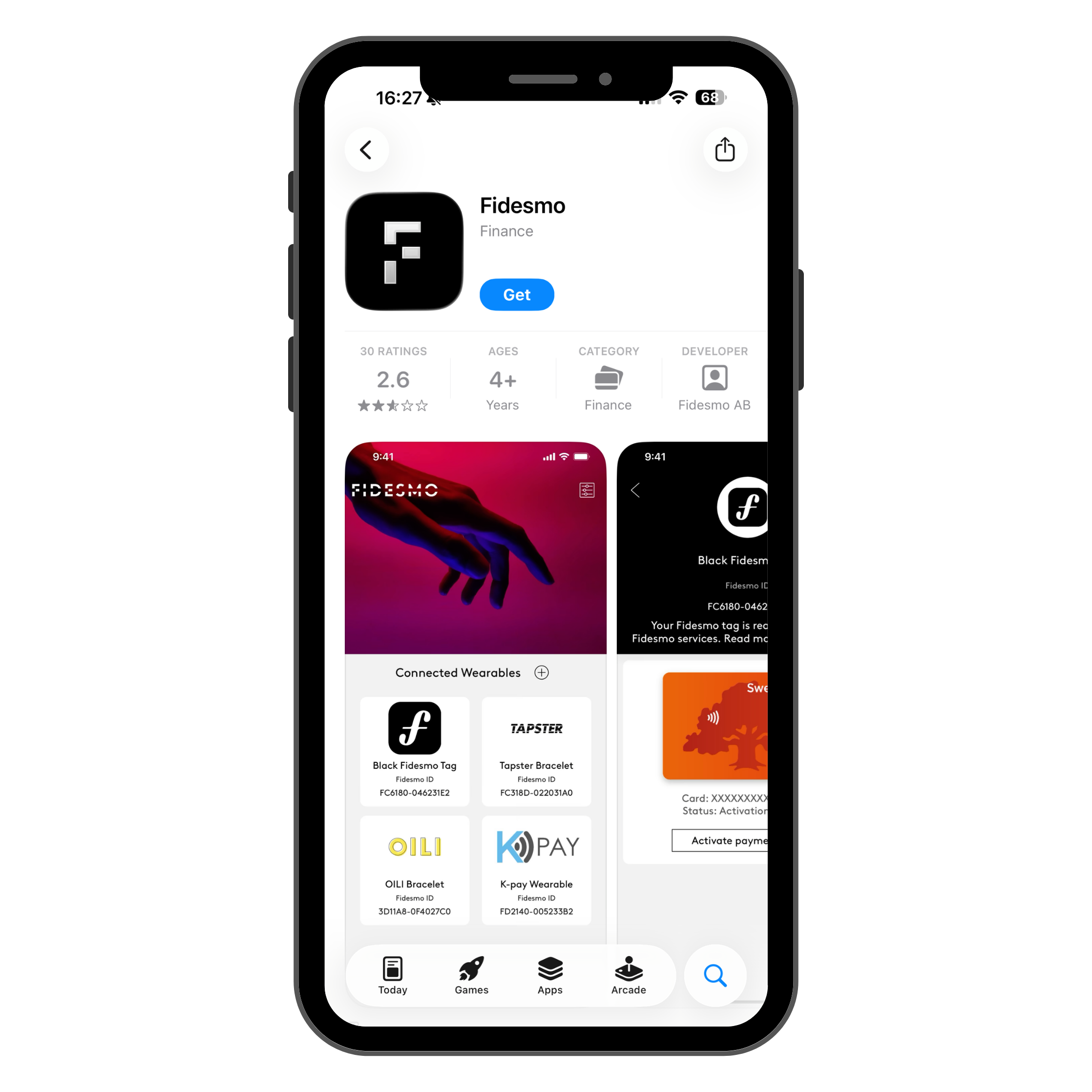
A step-by-step video on how to set up your Fidesmo app can be found below OR at the very bottom of this page.

2
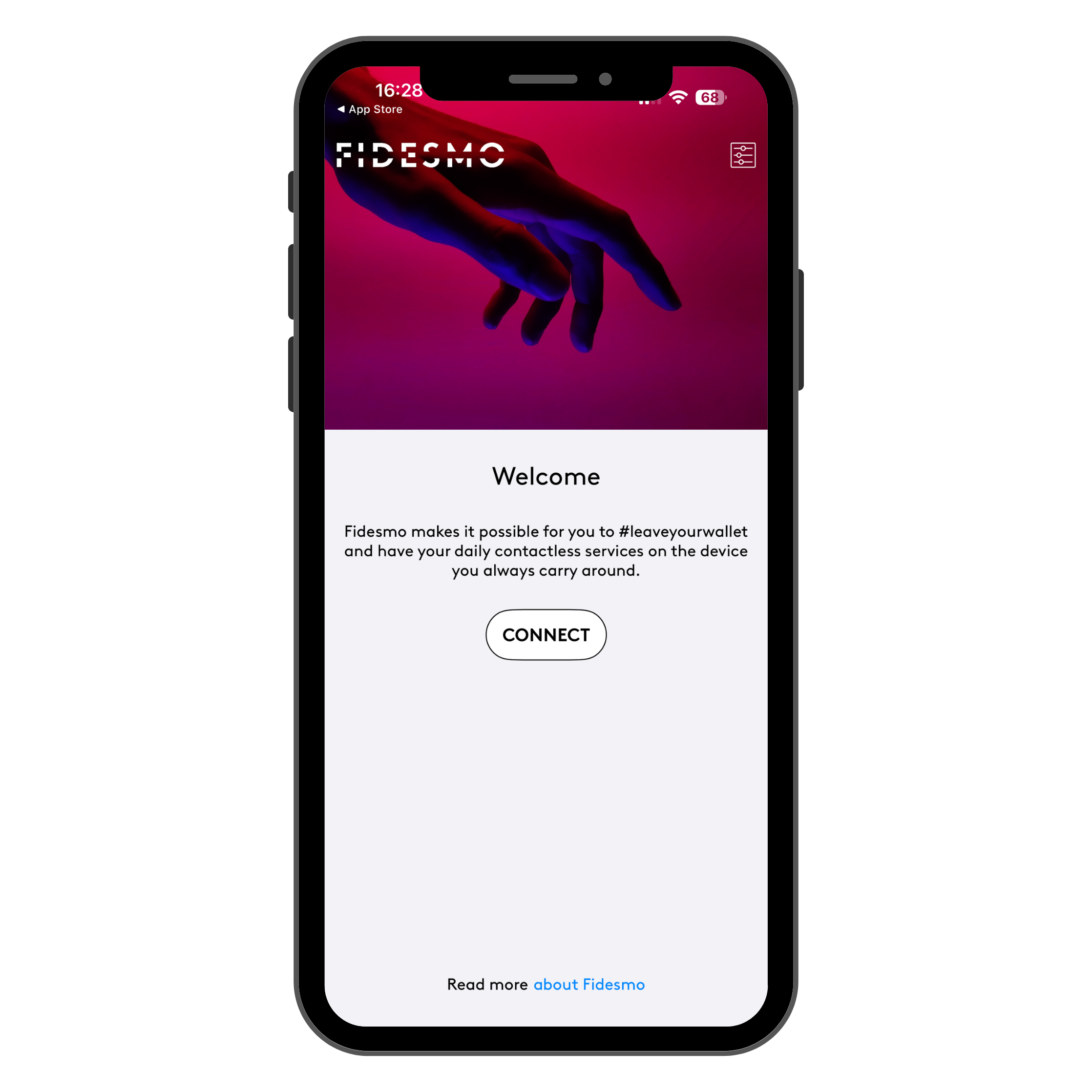
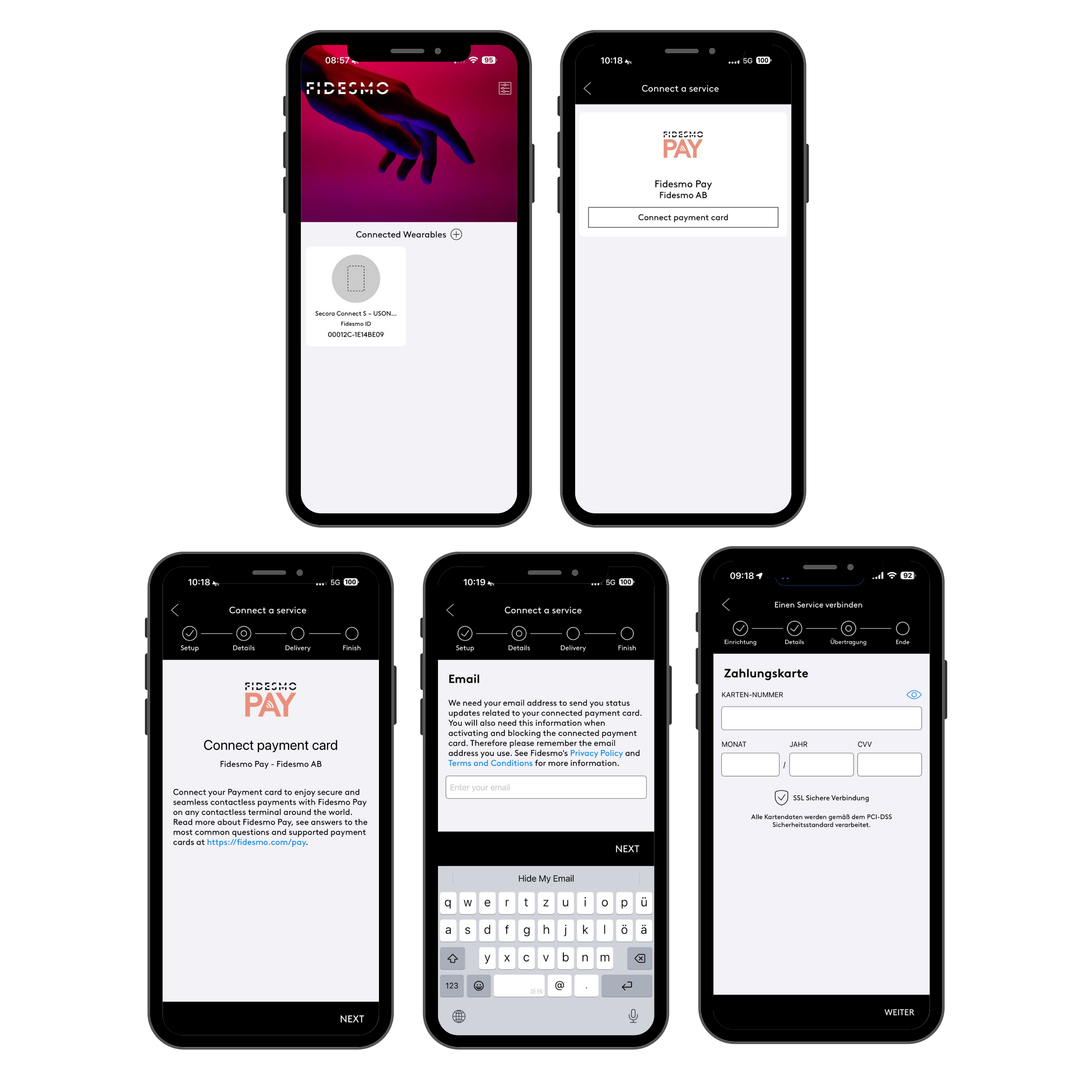
Click the "VERBINDEN / CONNECT" button to begin the pairing process with your CLUB MONEE jewelry.
3
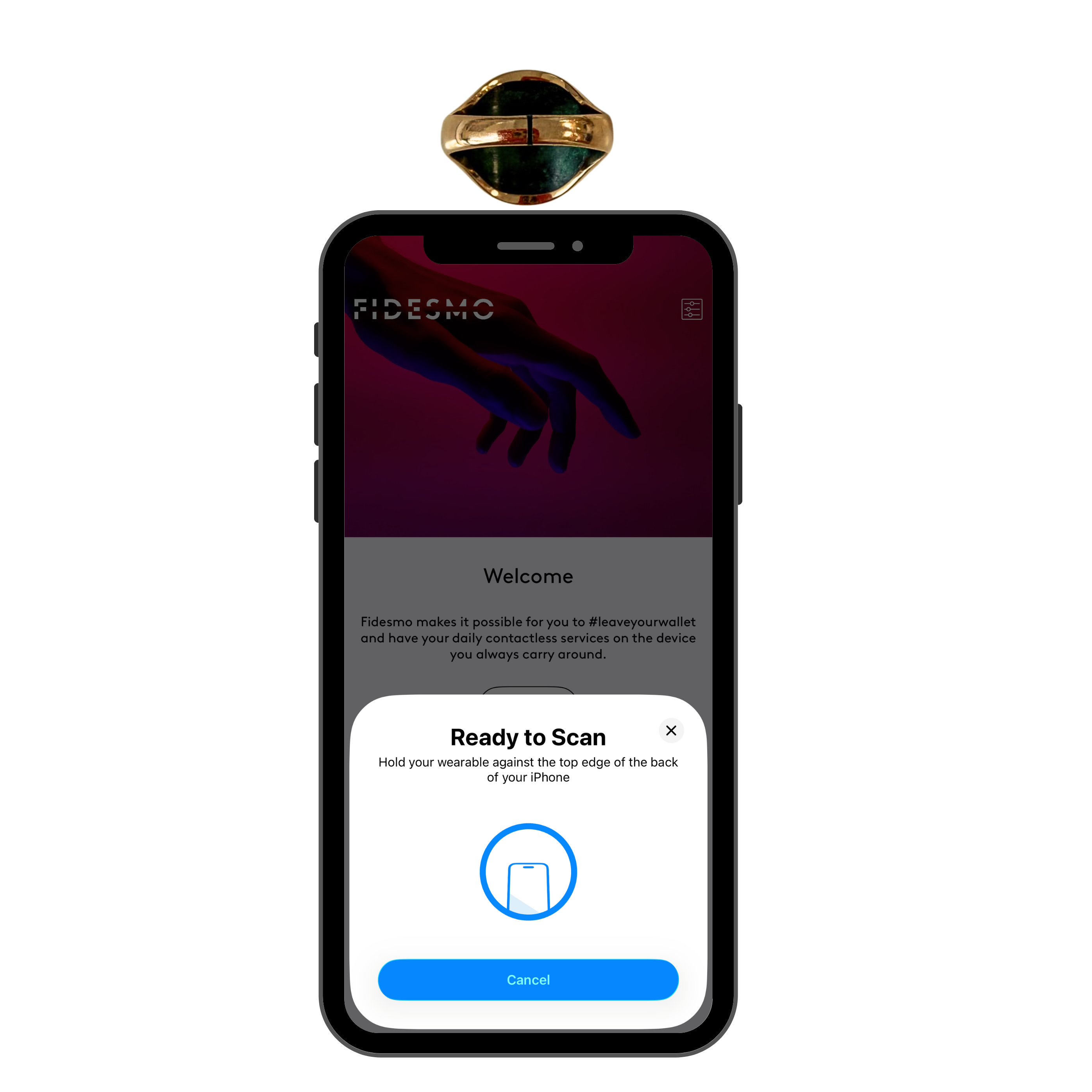
Hold your CLUB MONEE Ring very close to the top edge of your smartphone. Make sure the ring is upside down and touching your smartphone to ensure the best possible connection. It is best to place your phone and your MONEE Ring on a flat surface (table). Please be patient, connecting may take a few seconds.
4
Great, the connection was successfully established! 🎉
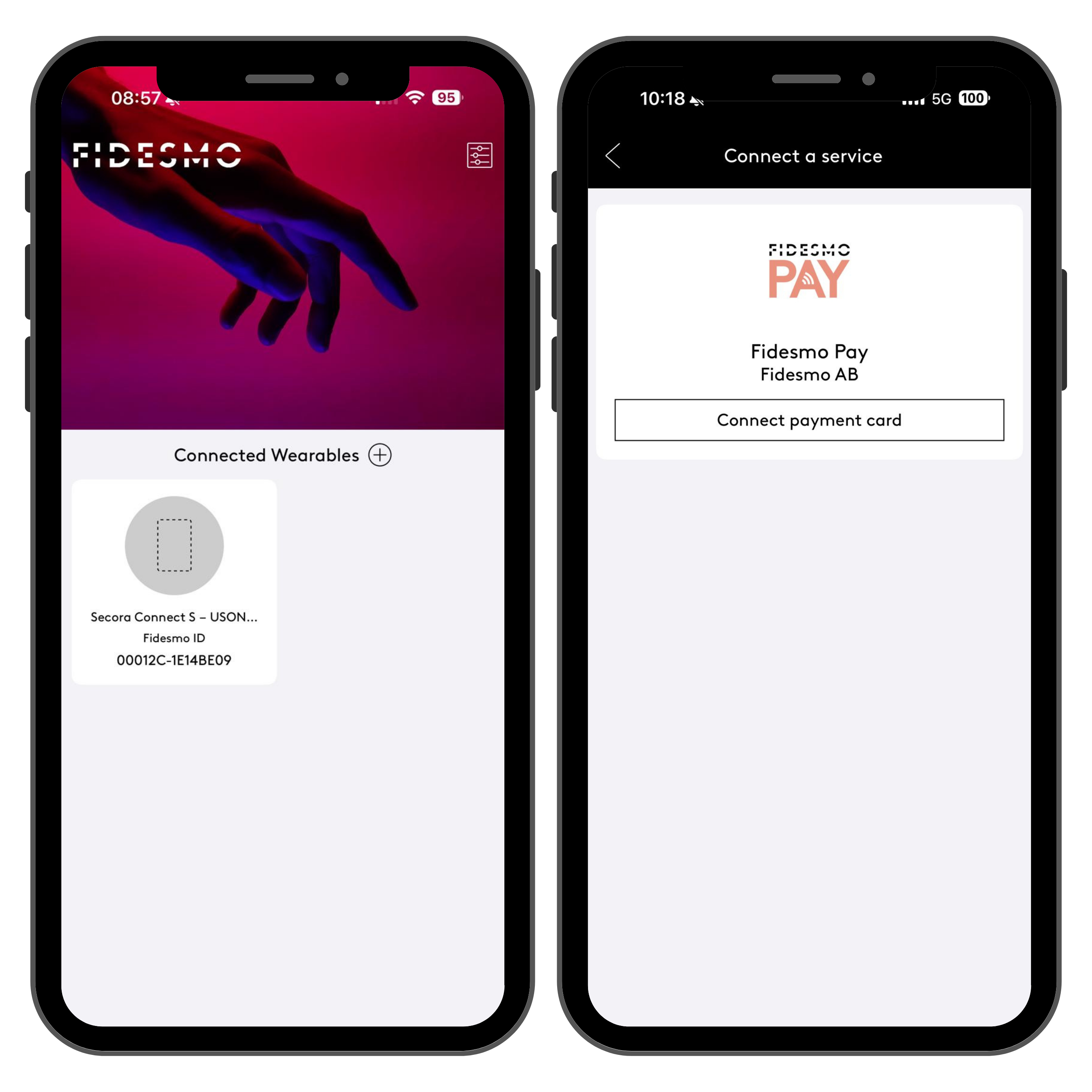
Your CLUB MONEE Wearable is now displayed in the Fidesmo app. Tap on your Wearable to start the setup. Afterwards, you can link your payment function and activate your Wearable for contactless payment. Follow the instructions in the app.
5
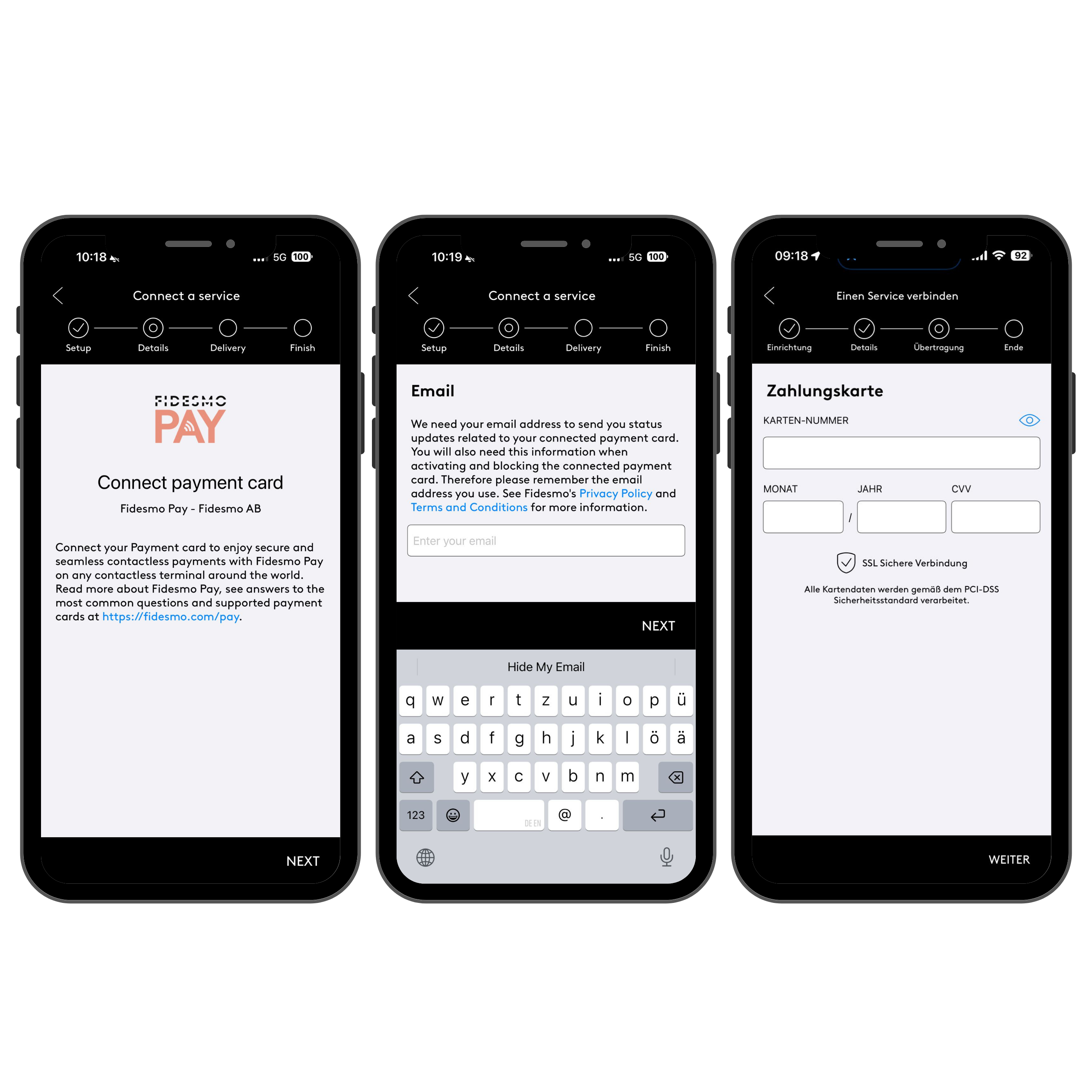
In the next step, you will be asked for your email address and credit card details. Simply enter the required information into the designated fields and confirm your entry by clicking "Weiter / Next".
Your card details will be processed securely and used exclusively for setting up your payment function.
6
Your payment function will now be stored on your CLUB MONEE Wearable. To do this, place your smartphone flat on a table again. Then carefully turn your ring upside down. The ring should touch the top edge of your smartphone.
Now tap on "Scan" to start the transfer.
The activation runs automatically in 10 steps, which you can follow directly on your smartphone. The process usually takes 1–2 minutes.
Important: Keep the ring and smartphone as still as possible during the transfer until the setup is successfully completed.

7
After you have entered your card details, there are two possible scenarios:
✅ Case A: Your bank is directly supported
If your bank is supported by Fidesmo, you can start connecting. To do this, jump to step 15.
(!) You can find out which banks are directly supported by Fidesmo here: BANKS
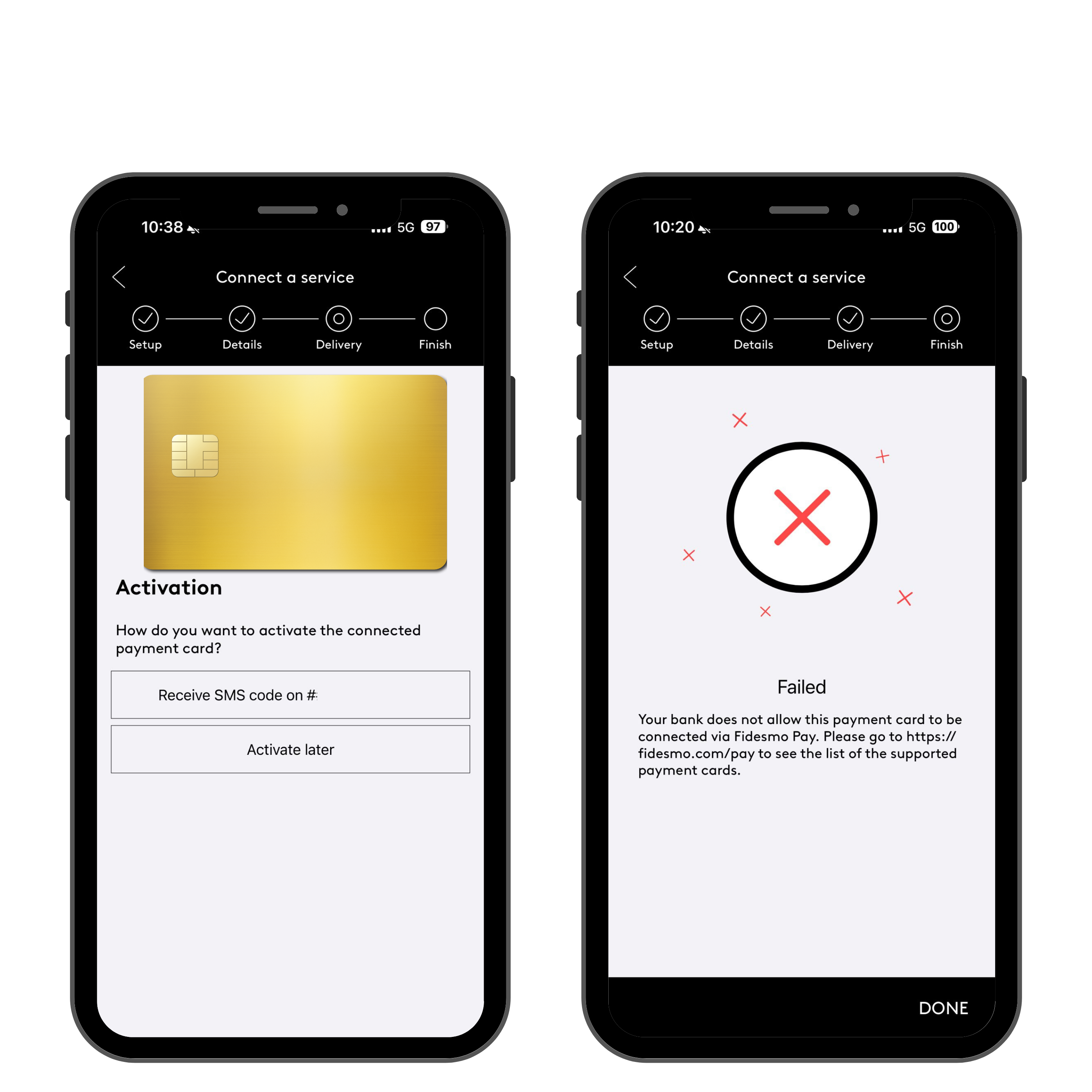
⚠️ Case B: The message “Failed” appears
Don't worry – this is completely normal and currently affects most banks.
If the message “Failed” is displayed, it only means that your card cannot be directly connected to Fidesmo. The good news: there is a simple solution for this.
With the free app Curve you can easily connect your existing credit card to your CLUB MONEE Wearable. Curve acts as a connection between your credit card and your wearable. In your Curve app, you can later save several credit cards from different banks and use them as a payment method.
In the next step, we will show you exactly how to set up Curve and connect your card in just a few minutes.
8
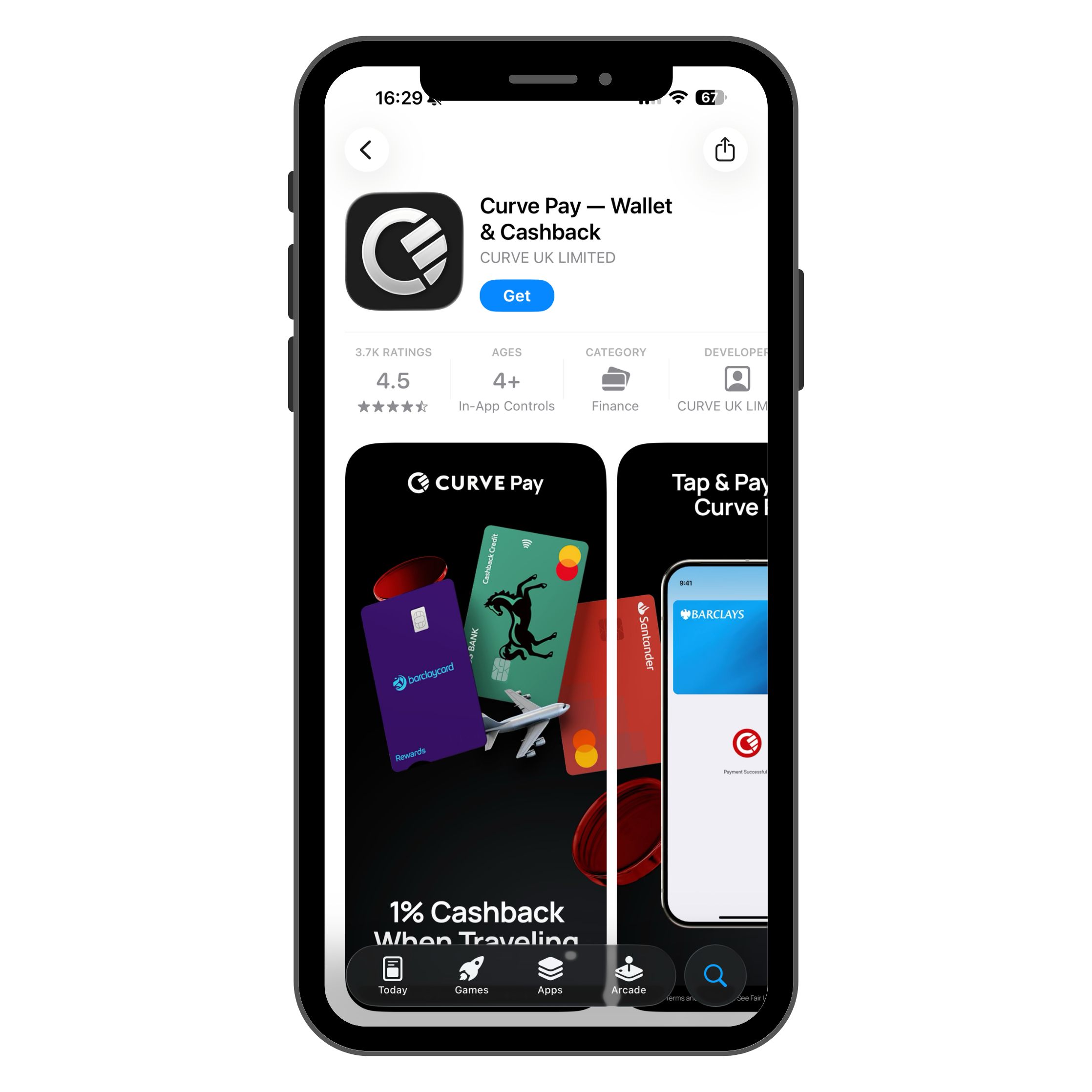
Download the Curve app from the App Store or Google Store. > To the App Store. > To the Google Store.
9
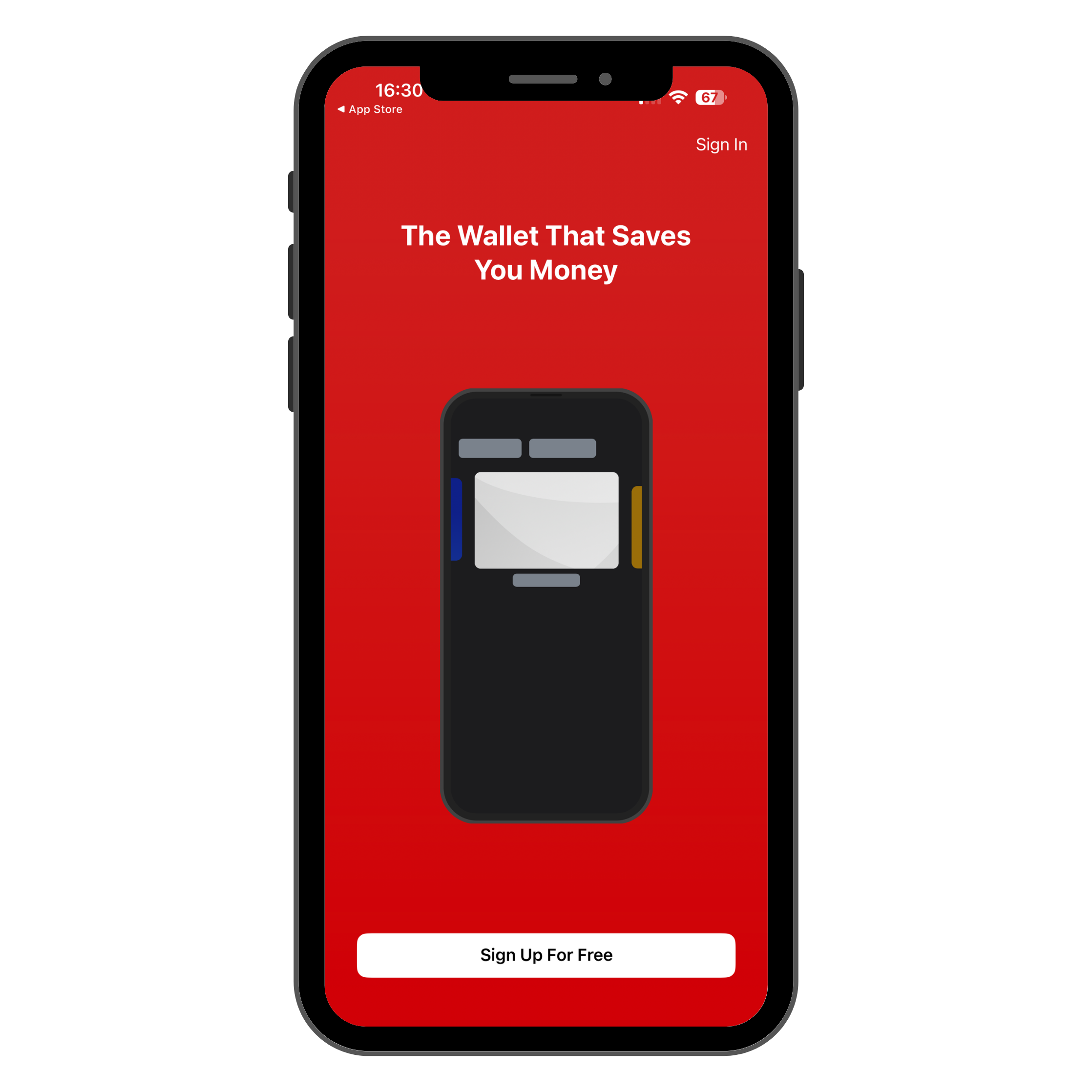
Create a CURVE account.
10
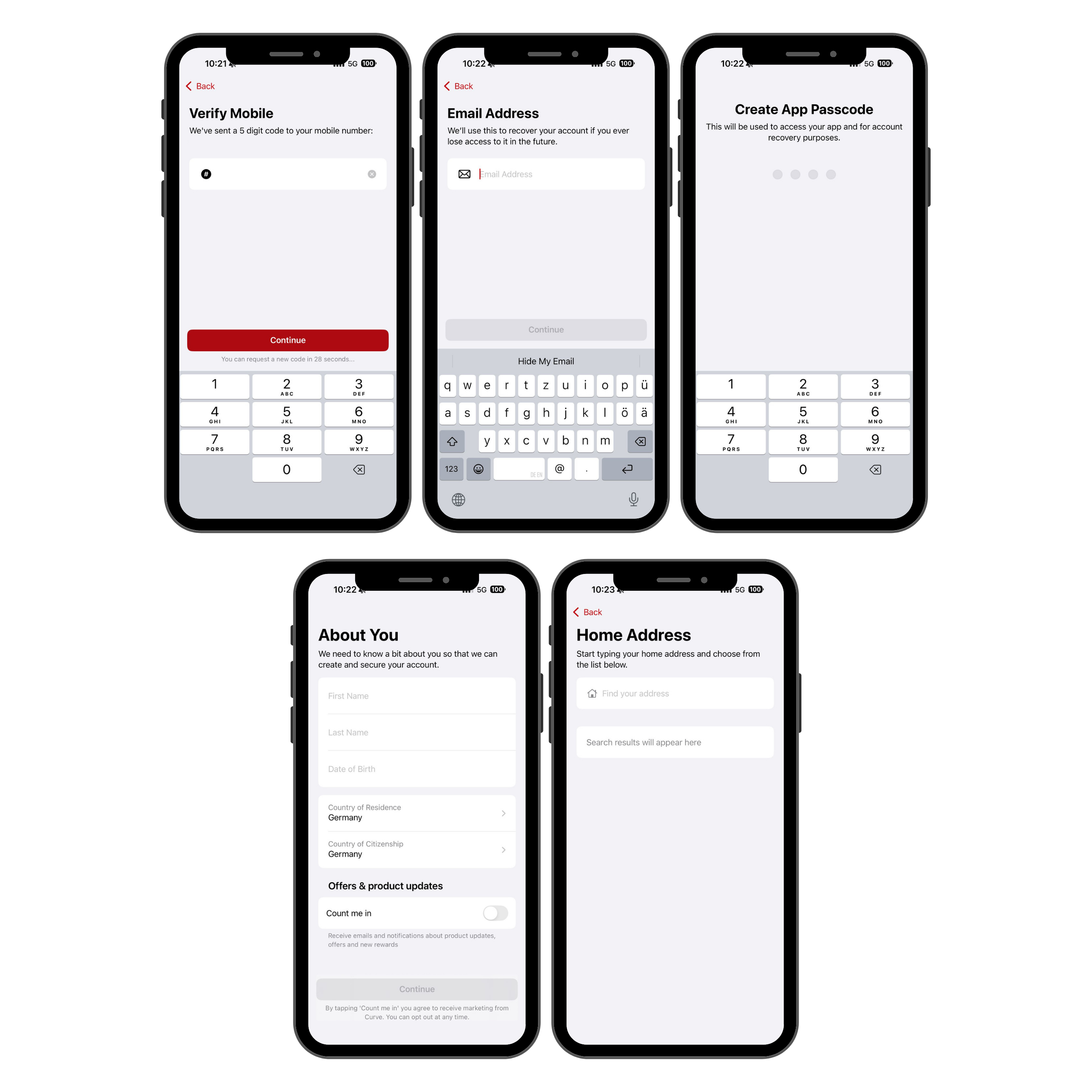
To set up your free Curve account, Curve requires some information from you.
This includes:
- your mobile number
- your email address (you will need to verify this)
- some personal details
- your residential address
You will also be asked to set up an app code (passcode). This code protects your account and will allow you to securely log in to the Curve app in the future.
11
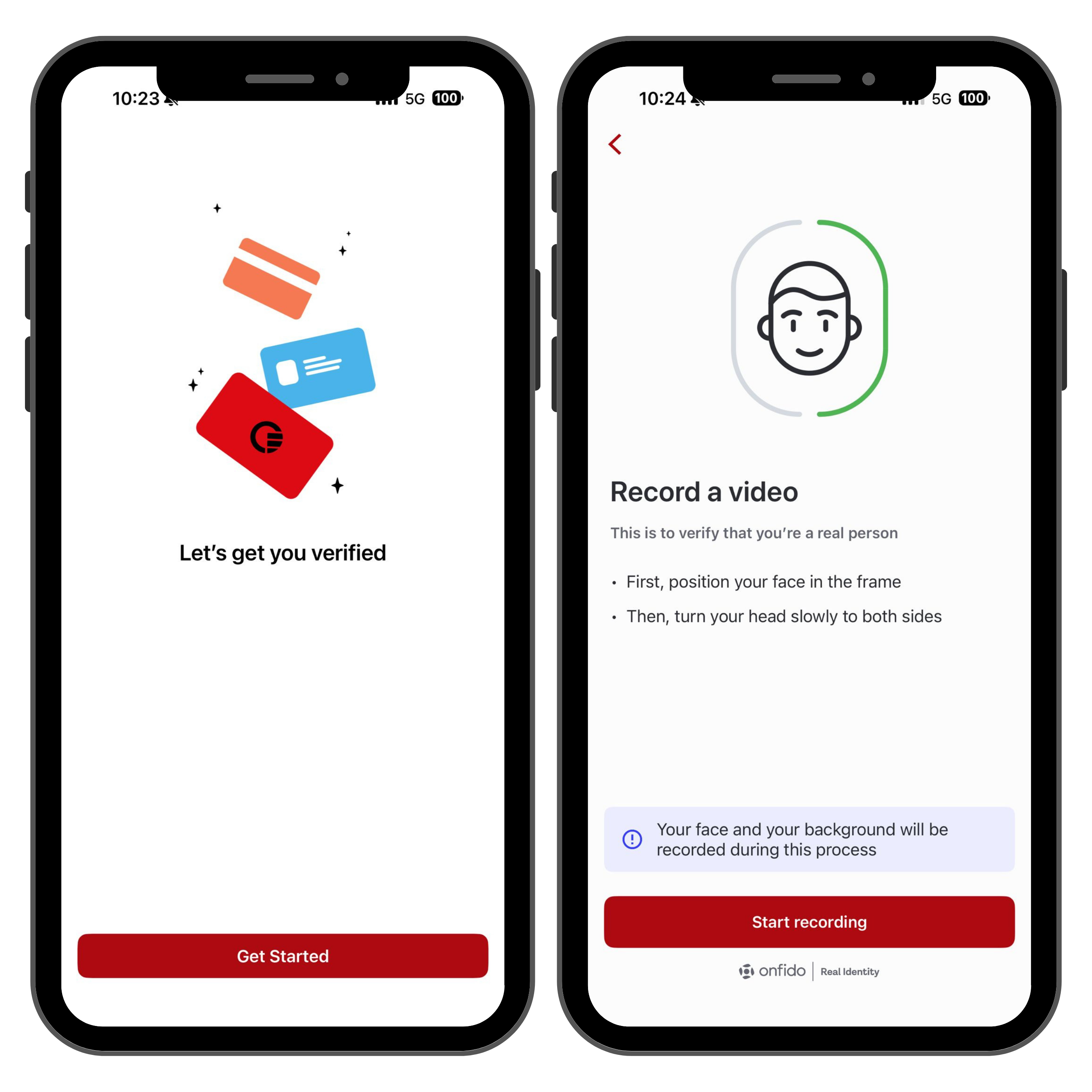
To ensure you are a real person, Curve will ask you to record a short selfie video.
Simply follow the instructions in the app and make sure your face is clearly visible to the camera. The recording only takes a few seconds and is solely for the purpose of securely verifying your account.
12
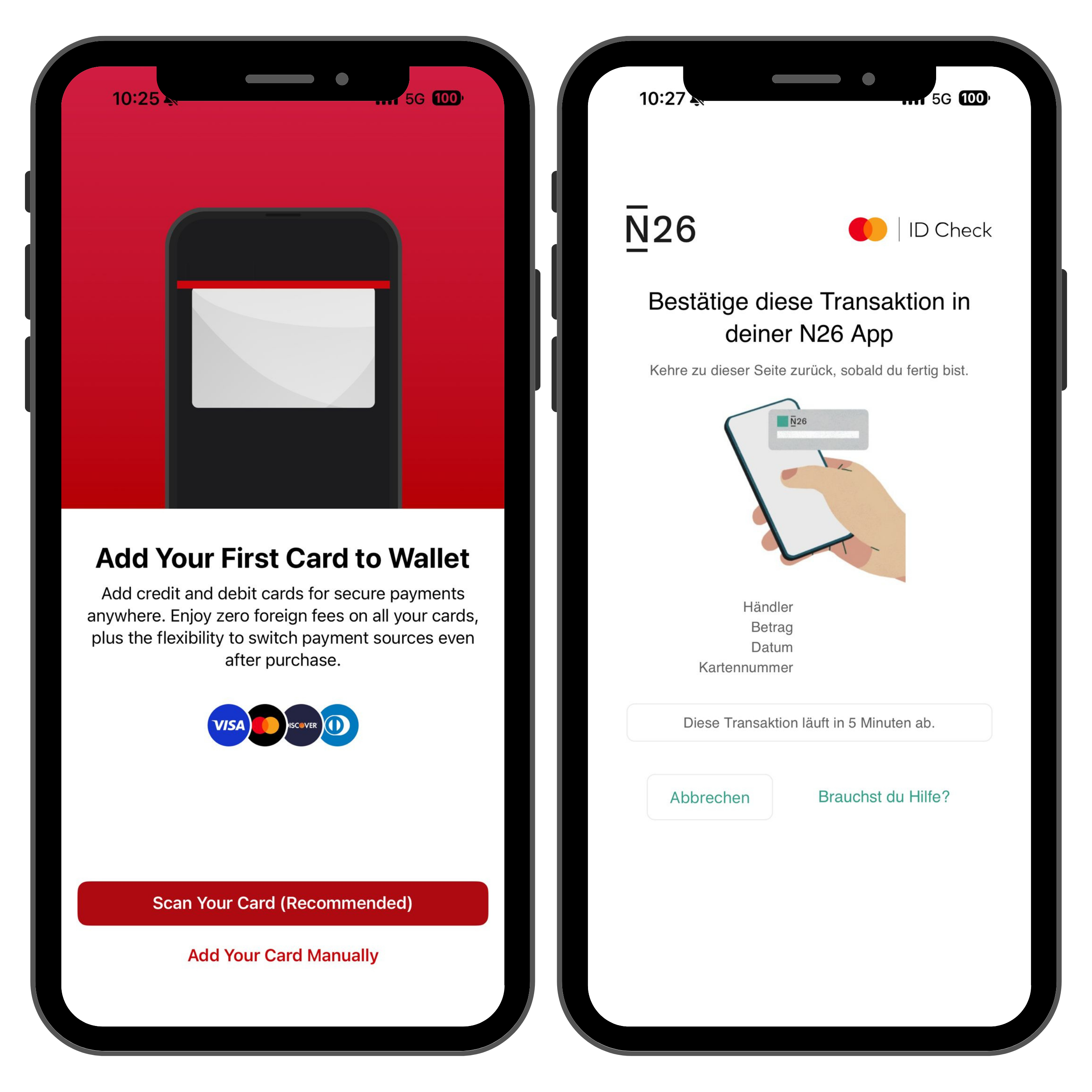
Once your Curve account has been successfully set up and verified, you can link your credit card to Curve.
Simply follow the instructions in the app and add your desired card.
Depending on your bank, it may then be necessary to additionally confirm the new payment method in your banking app. In this case, Curve will automatically guide you through the process.
As shown in the example with the N26 app, simply open the corresponding banking app and confirm the link there. After that, your card is successfully linked to Curve and ready for the next step.
13
You are now the owner of your digital Curve card.
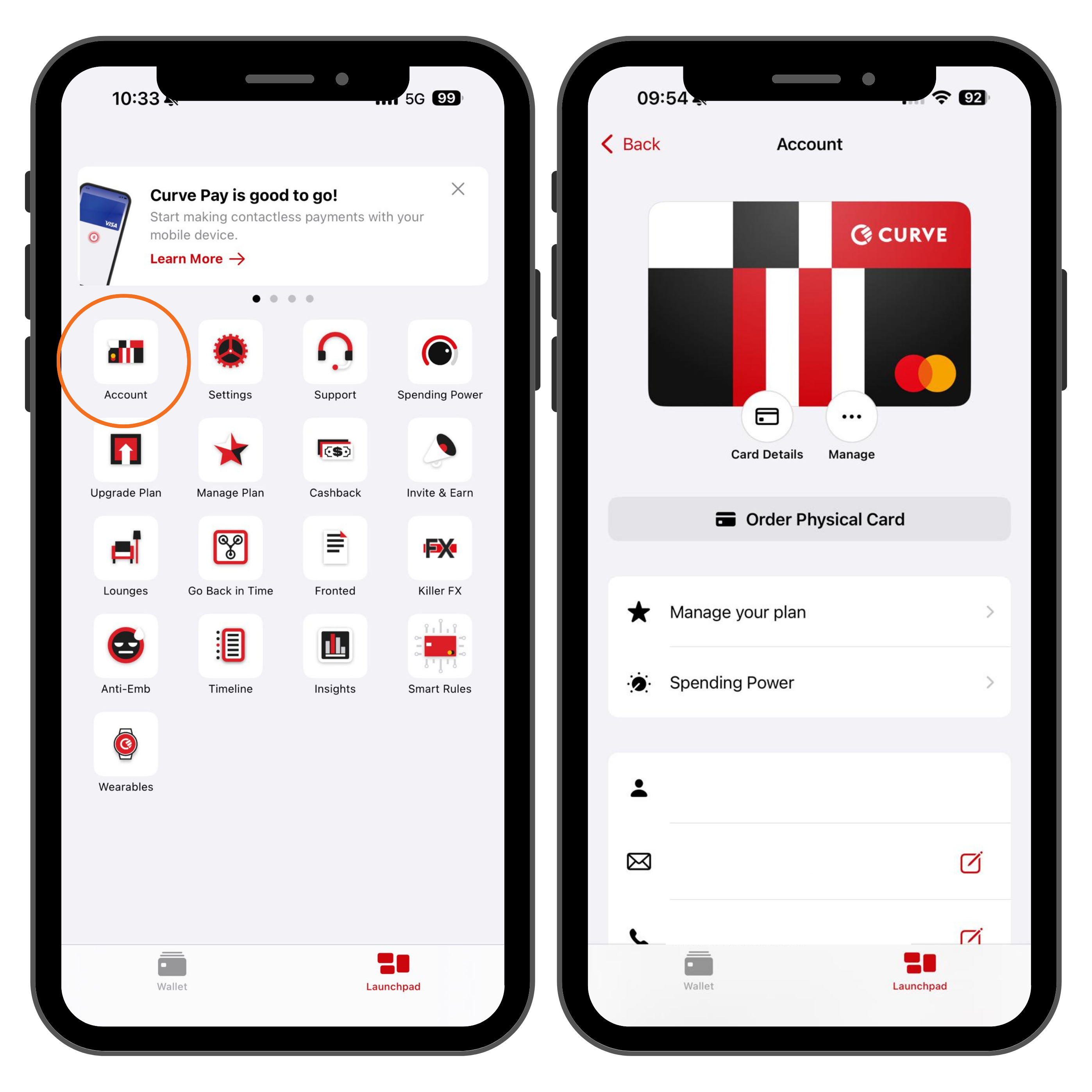
Tap "Launchpad" on the bottom right. In the overview, you'll find your account section at the top right.
Your digital Curve card is stored there. Then tap "Card Details" to view the complete card information.
You will need this data shortly to link your card in the Fidesmo app.
Therefore, copy your card number now or have the card details ready. You will need this information again in the next step.
14
YAY! Now for the final steps.
Switch back to the Fidesmo app and repeat steps 4 to 6.
This time, do not connect your original bank card, but your digital Curve card to your CLUB MONEE Wearable.
Have the Curve card details, which you noted down in the previous step, ready. You will now enter these into the Fidesmo app.
Then simply follow the instructions in the Fidesmo app. In just a few minutes, your Curve card will be connected to your wearable.
15
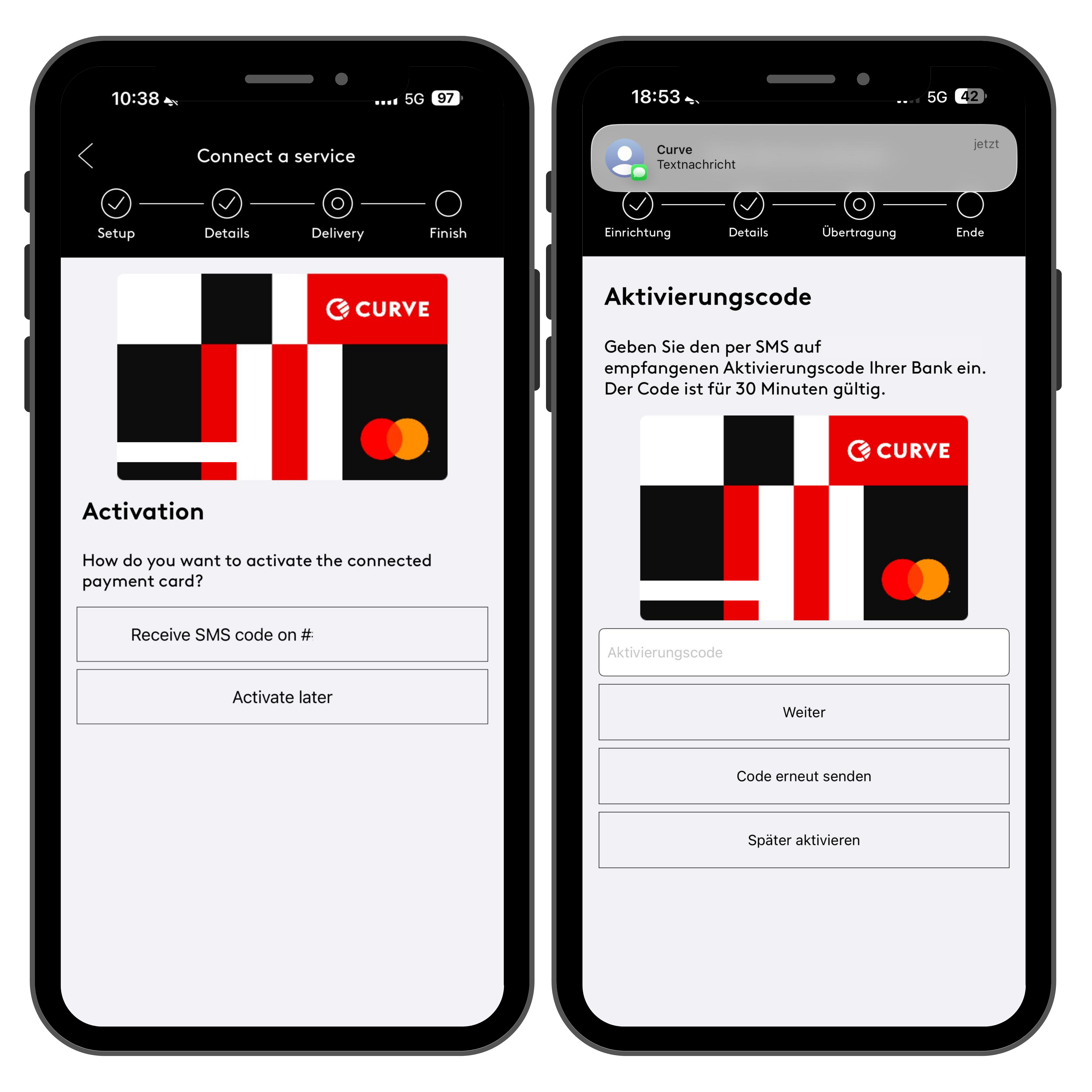
Almost there! Now you can activate your Curve card in the Fidesmo app.
To do this, tap on "Activate via SMS" and follow the instructions on the screen. During activation, your Curve card will be securely linked to your CLUB MONEE Wearable.
To confirm your identity, you will receive a code via SMS to the mobile number you registered with Fidesmo. Simply enter this code into the app to complete the activation.
16
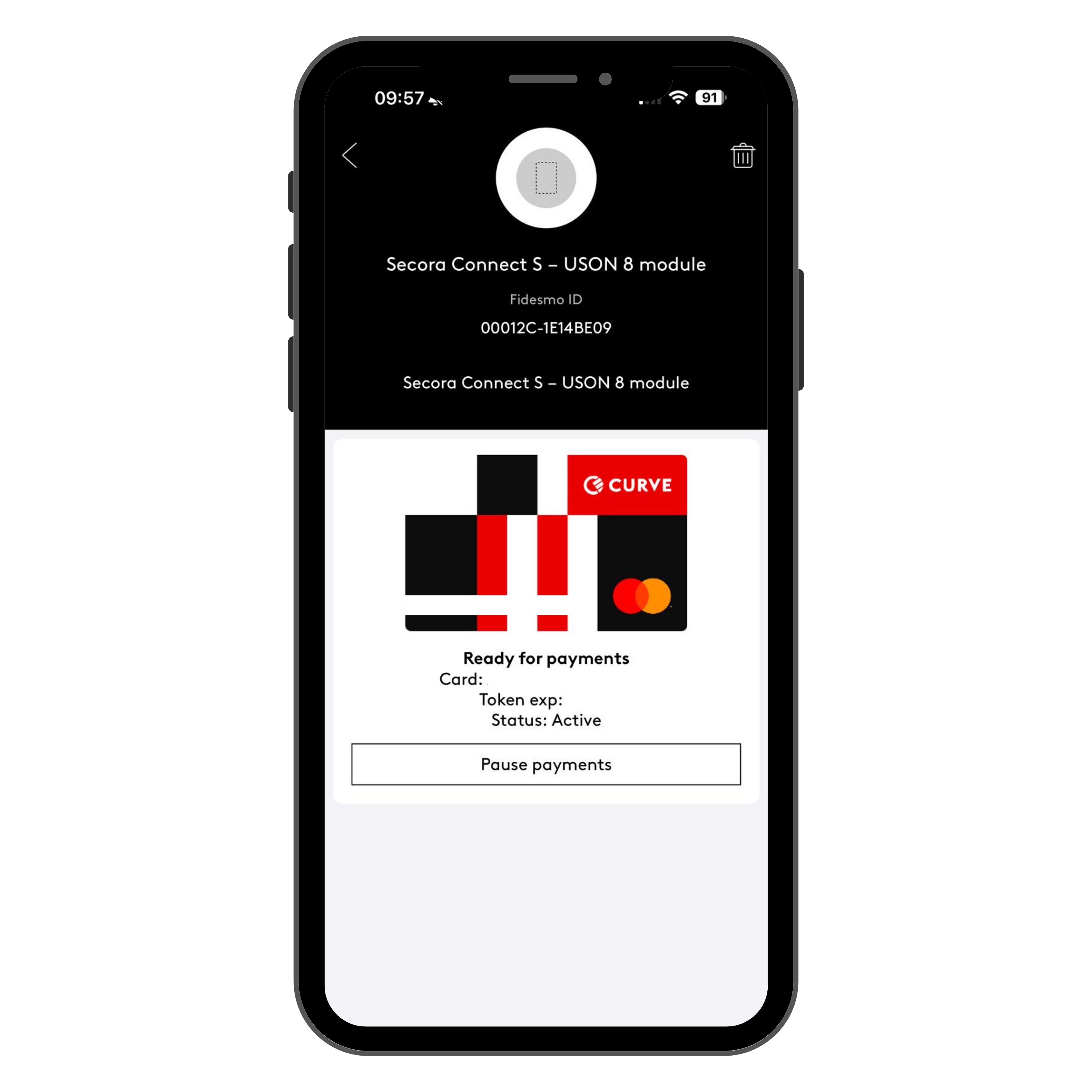
Thank you for your time and patience. The setup of your CLUB MONEE Wearable has now been successfully completed.
From now on, you can use your Wearable for contactless payments and make many everyday moments even easier – without a wallet or smartphone.
We hope you enjoy your CLUB MONEE Wearable and have many uncomplicated payment experiences. If you have any questions or need support, we are always here for you.
Welcome to the Club.
Knock Knock to pay. The CLUB Move.
Form your hand into a loose fist and hold your wearable to the spot on the payment terminal where you would usually place your bank card.
Our tip: Hold your wearable still against the terminal for 1-2 seconds until the payment is confirmed.
After a few payments, the CLUB MOVE will automatically become a habit – we promise.
Set up & manage videos
Fidesmo App Set Up
In this video, we'll show you step-by-step how to connect your CLUB MONEE ring to your Fidesmo app and activate its payment function.
Here you'll find a link to the BANKS that are directly supported by FIDESMO. If your bank is not directly listed, no problem. You can create a digital credit card from any Visa/Mastercard using the free partner app CURVE.

Curve App Setup
Coming Soon.
Frequently Asked Questions?
Yes. When you connect a bank card to your CLUB MONEE Ring with Fidesmo Pay, a reference to the card is created, a reference with a different card number, this is called tokenization. This card number can only be used on your CLUB MONEE Ring – not online or elsewhere. This means that your CLUB MONEE Ring is protected against skimming, and even if the card number were to leak online (e.g., due to a data breach at one of the stores where you made a payment), it cannot be used anywhere else. The card number on the CLUB MONEE Ring is also cryptographically linked to this specific wearable, and the card number cannot be added to any other physical wearable that can be used for payment. In summary, CLUB MONEE Ring payments with Fidesmo Pay are very secure, even more secure than paying with a physical payment card, where the card number can be used for payments both in-store and online.
Yes, provided that the terminal supports contactless payments with VISA or Mastercard. Just as you can pay with your bank card at any contactless terminal worldwide, you can also pay with your CLUB MONEE ring.